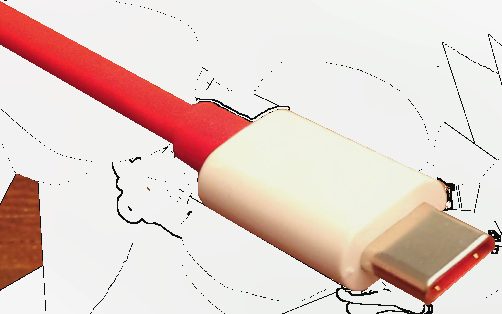
Have you ever had a box full of cables and still could not find the right one for the device you needed to charge? For years, every brand using its own connector was a familiar annoyance. USB-C arrived with a promise to end that mess through one common connector.
But reality is more complex than the promise. The same USB-C plug can hide very different cables inside in terms of capability. Understanding this saves you from buying a weak cable by mistake and then complaining that your device charges slowly or will not transfer data.
Why USB-C is a big step forward
The first appeal of USB-C is the symmetrical plug that goes in either way, ending the fumbling to flip a cable in the dark. But the bigger value lies in the ambition to fold many functions into a single standard.
One USB-C port can charge, transfer data, and output video to an external display all at once. So in theory you need just one kind of cable for your phone, laptop, headphones, and many other devices, instead of a drawer full of different cords.
Why not all cables are the same
This is the most confusing part. Two cables that look identical with USB-C plugs can differ wildly in capability. One only charges slowly and transfers data at low speed; another fast-charges a laptop and moves data extremely quickly.
The difference lies in the wiring and chips inside that the eye cannot see. So a cheap cable can leave your laptop charging sluggishly, or fail to output video, even though the plug looks exactly like a premium cable.
Charging power and why it matters
Different devices need different charging power. A phone needs little, while a laptop needs far more. If you use a low-power cable and charger for a laptop, it will charge very slowly or only hold on rather than fill up during heavy use.
So when buying a cable, note the power level it supports, usually listed in watts. A high-power cable works for both phones and laptops, while a weak one suits only small devices. Choosing right from the start saves you frustration later.
Data transfer speed varies greatly too
If you use a cable to copy photos, videos, or back up an external drive, transfer speed is a major factor. A low-quality cable can take tens of minutes to copy a video folder, while a high-speed cable finishes in a flash.
Unfortunately, many cables that come with a device are optimized only for charging, with very slow data speeds. If you regularly move large files, investing in a high-speed data cable is a small expense that makes a big difference to daily work.
How to choose the right cable for your needs
Decide the main purpose before buying. If it is just to charge a phone, a basic cable is enough. If it is to charge a laptop, choose a cable clearly stating high power support. If it is to copy large data or output video, find one clearly stating high data speed.
Favor cables from reputable brands that list their specs, and avoid unlabeled no-name cables. Keeping one or two good cables whose capabilities you know, rather than hoarding dozens where you cannot tell which does what, will make your digital life far tidier.
USB-C is a real step toward the dream of one cable for all, but it is not yet as simple as it appears. Just understanding that the same plug does not mean the same capability lets you pick the right cable and dodge needless hassle. A few good cables of known origin beat a whole drawer of mystery cords.